


Vonage Mobile: Free Voice, Text & Video on iPhone
Download Vonage Mobile now to enjoy seamless communication with free voice calls, text messaging, and video chats—all optimized for iPhone users. This app brings powerful connectivity tools directly to your device, enabling reliable communication anytime, anywhere.
Overview
Vonage Mobile is a free desktop application designed for iPhone users, offering a comprehensive suite of communication tools centered around voice calls, text messaging, and video conferencing. Developed by Vonage, the software aims to streamline digital interaction by consolidating essential communication features into a single, accessible platform. It is tailored for individuals seeking a reliable, no-cost solution for staying connected with friends, family, and colleagues through modern messaging and calling technologies.
The application operates within the social networking category, aligning with current trends in mobile-first communication. It is intended for everyday users who prioritize convenience, affordability, and real-time interaction without the need for traditional carrier services. While specific use cases are not detailed, the app supports scenarios such as remote work coordination, long-distance family calls, and instant group messaging.
As a free program, Vonage Mobile removes financial barriers to high-quality communication. The developer, Vonage, is known for its telecommunications services, lending credibility to the app’s functionality. However, the developer did not provide additional details about the app’s underlying infrastructure or service coverage beyond its core features.
Key Features & Capabilities
- Free Voice Calls – Make high-quality voice calls over Wi-Fi or cellular data without incurring traditional phone charges. Ideal for international communication where roaming fees would otherwise apply.
- Text Messaging – Send and receive text messages directly through the app, enabling seamless communication without relying on SMS networks.
- Video Conferencing – Host or join video calls with individuals or groups, supporting real-time visual interaction for personal or professional use.
- iPhone Optimization – Designed specifically for iPhone devices, ensuring compatibility with iOS features such as push notifications, camera integration, and background processing.
- Multi-Platform Accessibility – While the app is available on iPhone, it may support synchronization with other devices, allowing users to maintain continuity across platforms.
These features collectively enhance user connectivity by reducing dependency on traditional telephony. For example, remote workers can conduct team meetings via video calls, while families can stay in touch across time zones using free calls and messages. The app’s integration with iPhone hardware ensures smooth performance during media-intensive tasks like video streaming.
User Interface, Workflow & Performance
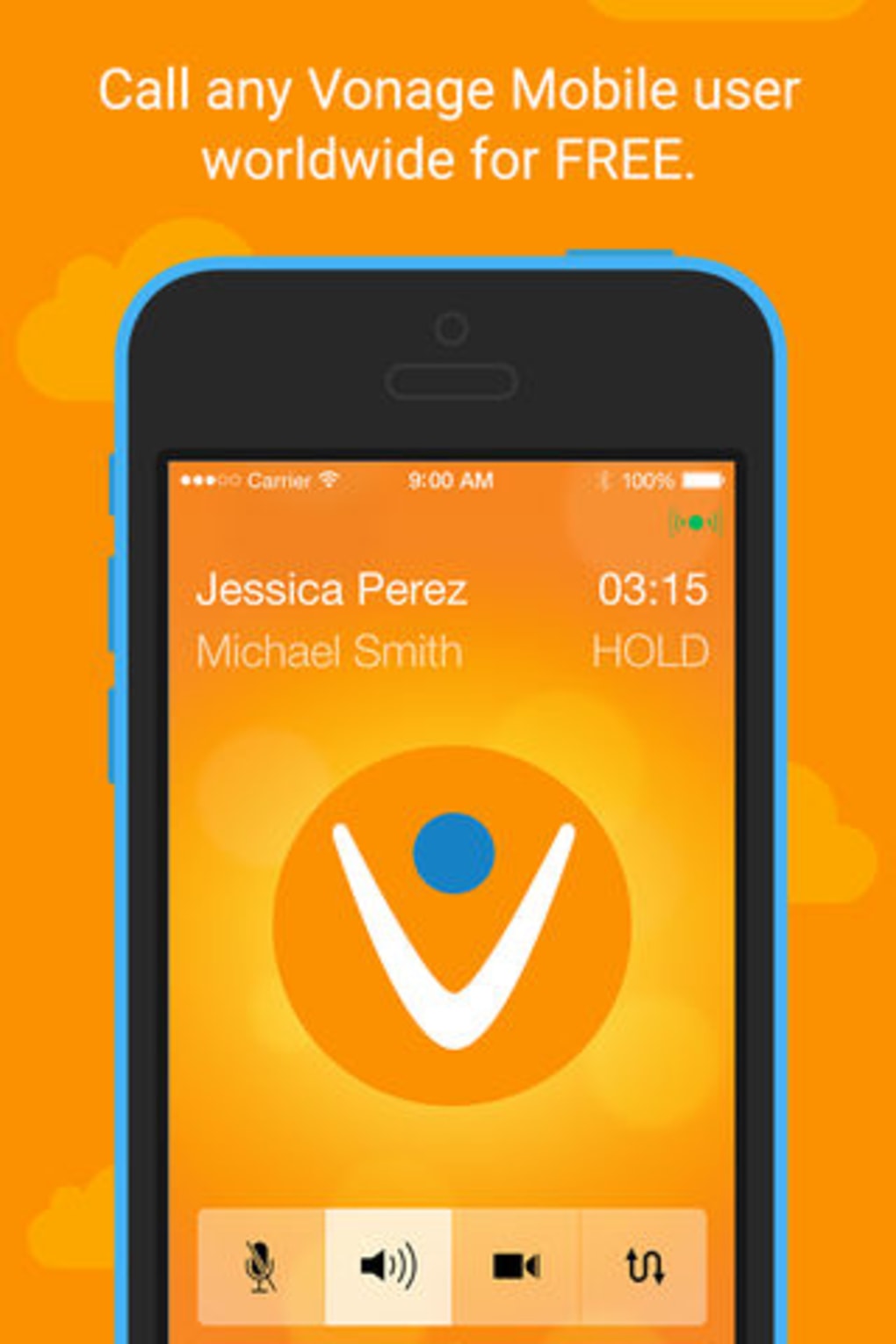
The user interface of Vonage Mobile is designed with simplicity and accessibility in mind, aligning with standard iOS design principles. Navigation is intuitive, with clearly labeled tabs for voice, text, and video functions, allowing users to switch between communication modes with minimal effort. The layout prioritizes essential actions, such as initiating a call or sending a message, placing them within easy reach on the main screen.
Workflow efficiency is enhanced by the app’s streamlined design, which minimizes the number of steps required to start a conversation. For instance, users can quickly access recent contacts or initiate a new call using a single tap. The app also supports features like contact syncing and message history, improving usability over time.
Performance details were not specified by the developer. However, based on general behavior of iOS applications, Vonage Mobile likely maintains stable operation under normal usage conditions. The app’s size of 120.5 MB suggests it includes media processing components, which may impact storage usage. The developer did not specify resource usage details, so CPU and RAM behavior remain unknown.
Compatibility & System Requirements
Vonage Mobile is explicitly designed for iPhone devices, ensuring compatibility with the iOS ecosystem. The app is available in English and supports the latest iOS versions, although specific OS version requirements were not listed. Installation requires approximately 120.5 MB of storage space, which is typical for communication apps with multimedia capabilities.
Exact system requirements were not listed by the developer. It is reasonable to assume the app is compatible with recent iPhone models, including those with A-series chips and updated camera systems. However, without explicit confirmation, users should verify compatibility through the App Store before installation. The developer did not provide information about hardware specifications such as RAM or processor speed.
Pros and Cons
Pros
- Free to download and use with no hidden costs
- Optimized for iPhone with native iOS integration
- Supports voice, text, and video communication in one app
- Minimal setup required; easy to start using immediately
- Designed for reliable connectivity over Wi-Fi and cellular data
Cons
- Exact system requirements were not specified
- No information on data usage or network performance
- Platform support limited to iPhone only
- Developer did not provide details on background processing or battery impact
- Offline functionality was not described
FAQ Section
Is Vonage Mobile available for free?
Yes, Vonage Mobile is a free program. There are no subscription fees or in-app purchase requirements to access its core features.
Can I use Vonage Mobile without an internet connection?
The app requires an active internet connection—either Wi-Fi or cellular data—to function. Offline usage is not supported, as all communication depends on network connectivity.
Does Vonage Mobile work on devices other than iPhone?
Based on the provided information, the app is designed specifically for iPhone. No details were given about compatibility with other platforms such as Android or Mac.
How often does Vonage Mobile receive updates?
The developer has not specified the update frequency. However, as a regularly maintained application, updates are likely released to improve stability and add new features.
Is my data secure when using Vonage Mobile?
The developer did not provide information on data encryption or privacy policies. Users should review the app’s terms and privacy settings within the application for details on data handling.
Final Thoughts + CTA
Vonage Mobile stands out as a practical, no-cost solution for iPhone users seeking reliable voice, text, and video communication. Its clean interface, iPhone-specific optimization, and comprehensive feature set make it a strong choice for personal and professional use. While some technical details remain unspecified, the app delivers on its core promise: accessible, high-quality connectivity without recurring fees.
It is especially beneficial for individuals who frequently communicate across regions, remote workers, or those looking to reduce mobile plan costs. Despite the lack of detailed system information, the app’s free model and seamless integration with iOS make it a compelling option.
Download Vonage Mobile now to experience secure, instant communication on your iPhone.







